NotiZen reads selected Notion databases
Connect Notion, choose the database views you want available, then place those views on your Android home screen.
NotiZen Pro
Your free widget includes every supported widget feature with no time limit. Pro lets you add widgets for separate databases, projects and workflows without changing their capabilities.
No Pro trial is currently offered. Pro billing is managed through Google Play.
What NotiZen does
NotiZen does not replace Notion. It turns selected Notion databases and Custom Views into practical Android widgets for glancing, filtering and supported quick updates.
Connect Notion, choose the database views you want available, then place those views on your Android home screen.
Your workspace, pages and database structure still live in Notion. NotiZen is the widget layer built around that data.
Use widgets for quick visibility and supported actions, instead of opening Notion for every small check or update.
Free and Pro
Start with one complete widget for free. Choose Pro only when you want more widgets on your Android home screen.
Free
Pro
Pro does not unlock filters, editing, layout, metrics or other features inside the free widget. It unlocks additional widgets.
Why add more widgets
Pro is useful when one complete widget is no longer enough for all the databases, projects or contexts you want visible.
Keep a project database, client queue or team workflow visible without mixing it with personal tasks.
Give errands, routines or household planning a separate home screen space and its own database source.
Keep drafts, publishing dates and status visible in a dedicated widget away from the rest of your workflow.
Place a high-priority project on its own screen with the same filters, sorting, metrics and customization as the free widget.
Connect each widget to the database or Custom Views that match its job instead of forcing unrelated data into one space.
Use different sizes and placements for dashboards, routines or review flows while every widget keeps the complete feature set.
Not just tasks
Bring focused Notion database workflows to your Android home screen with the fields that matter for each use case, including advanced filters and multiple workflow views.
A filtered view for the items, dates and checks that shape your day.
Keep active projects, owners, priorities or next steps visible on the home screen.
Pin routine databases, recurring checks or habit rows without turning them into a separate app.
Surface drafts, publish dates, statuses and platform fields from your Notion calendar database.
Show books, articles, notes or learning queues you want to revisit more often.
Create a people view for follow-ups, birthdays, relationship notes or contact pipelines.
Keep budget reviews, subscriptions, bill dates or account checklists in a quick-glance view.
Pin courses, assignments, revision queues and deadlines from your study workspace.
Turn grocery, replenishment or household databases into a practical home screen list.
Make goals, milestones and review prompts harder to forget by keeping the view visible.
Built for people who already build systems in Notion and want those systems visible without opening Notion.
Product preview
Swipe through different Notion workflow widgets and explore different ways your databases can live on the home screen.
Swipe the previews or use the arrows.
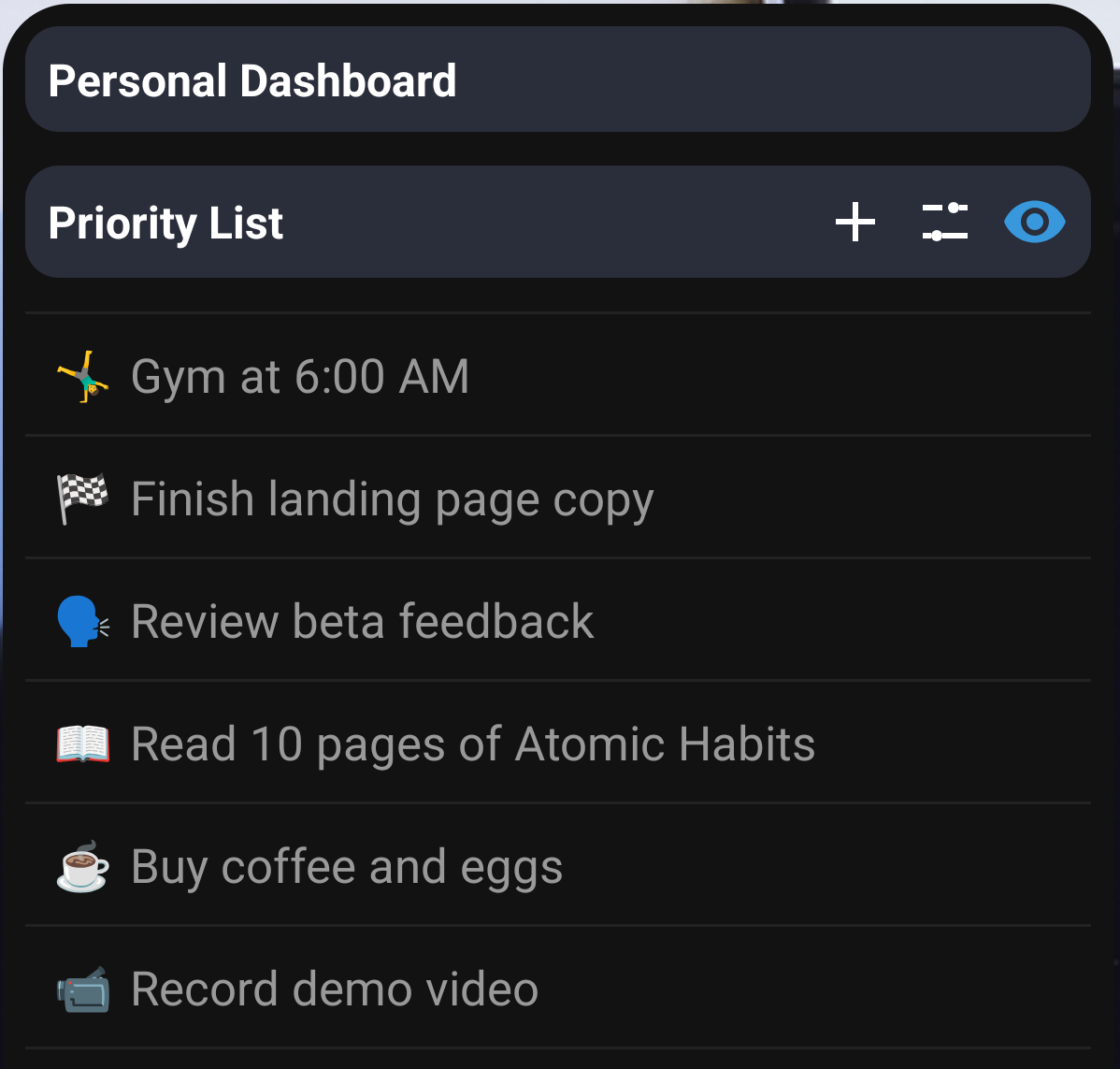
Turn a Notion database view into a focused Android home screen workflow.
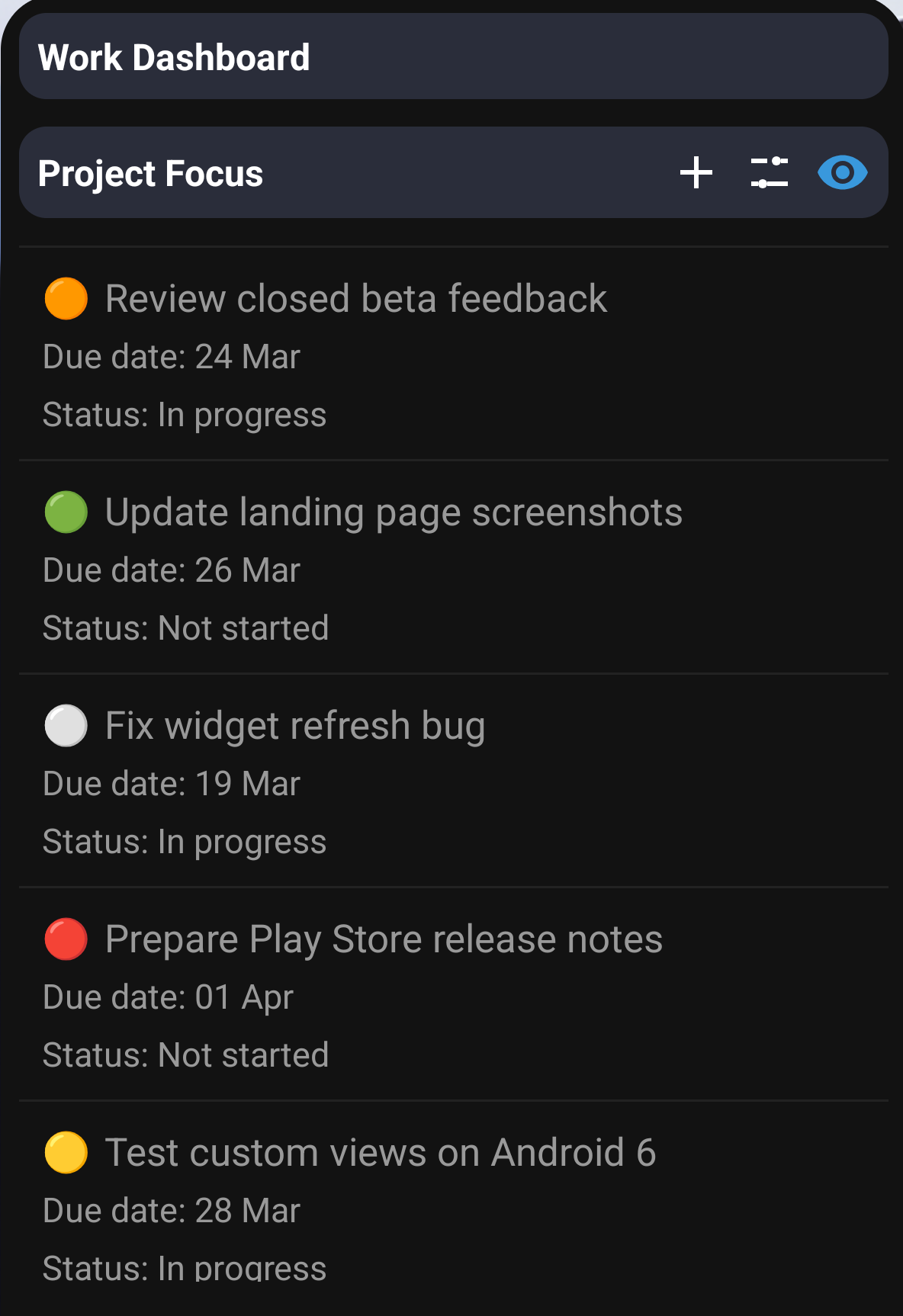
Use Pro to give each workflow its own widget instead of forcing everything into one list.
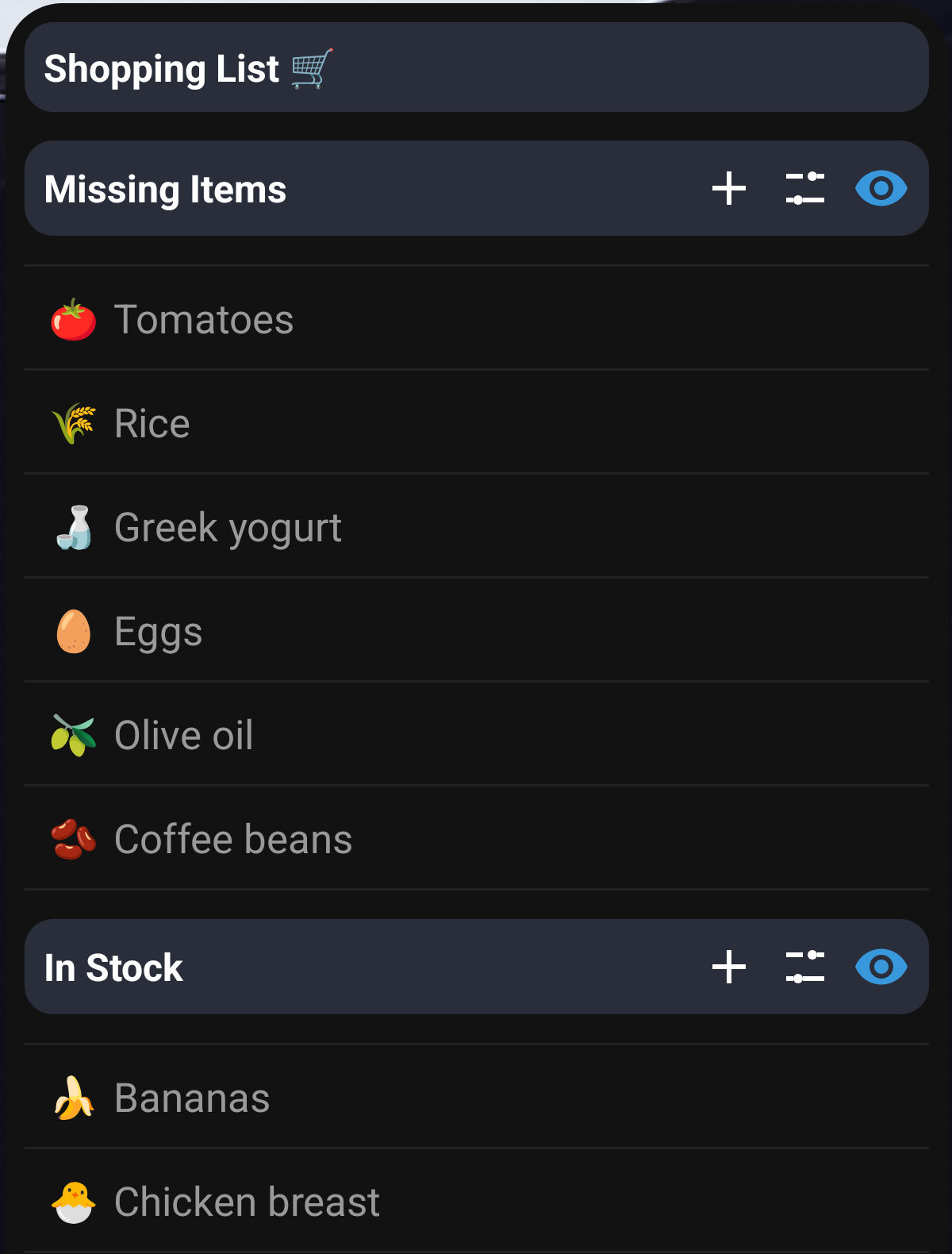
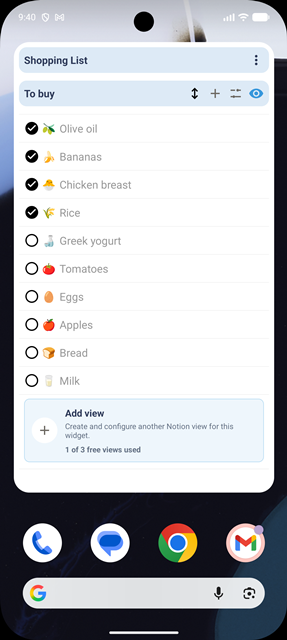
Use Notion databases for shopping, reading, planning or other quick-check views.
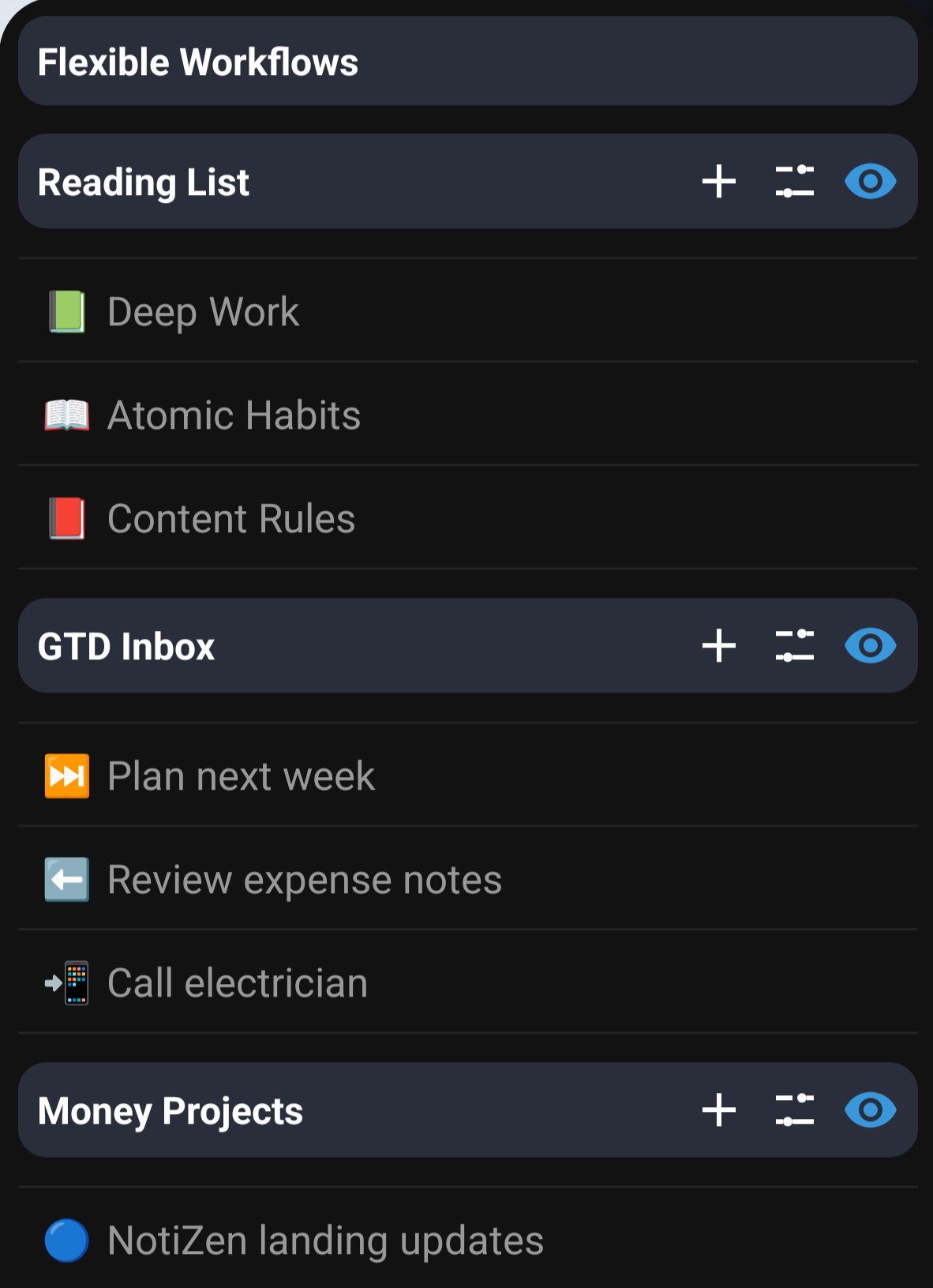
Keep the right properties visible with advanced filters and dashboard-style workflows in any complete widget.
Limitations
NotiZen is meant to make selected database workflows faster on Android. It keeps the product scope clear so the app stays reliable.
Pricing
Free and Pro widgets have the same supported capabilities. Pro is for adding more widgets, not unlocking features inside your first one.
Free
A real, persistent widget with no time limit. It is not a trial or a reduced feature preview.
Monthly subscription
See your local price in Google Play
Upgrade when you want additional widgets. Google Play shows the current price in your currency before purchase and manages the subscription.
When Pro ends, you can choose which configured widget stays active as your complete free widget. Your other widget configurations are preserved and become available again when you activate Pro.
No Pro free trial is currently offered. Available now on the public Google Play Store.
FAQ
Short answers about the free widget, additional Pro widgets, supported editing and Google Play billing.
Yes. You can create and use one complete NotiZen widget for free with no time limit, including all supported widget features. This is not a trial, and there is currently no Pro free trial.
NotiZen Pro unlocks additional widgets. Each additional widget has the same complete feature set as your free widget, so you can keep separate databases, projects or workflows on your Android home screen.
No. Supported property editing is included in the free widget and additional Pro widgets, with examples including checkbox, date, select and status. Not every Notion property is editable.
No. NotiZen focuses on widget views and supported quick property updates. Use Notion for full page editing and deeper workspace management.
No. Google Calendar is optional read-only context. You can use NotiZen with Notion only.
Pro is managed through Google Play Billing, and you can cancel anytime through Google Play. When Pro ends, you can choose which configured widget stays active as your complete free widget. Your other widget configurations are preserved and become available again when you activate Pro.
Download NotiZen Widget
Keep every supported widget feature in your free widget. Upgrade to Pro only when you want additional widgets for other databases, projects or workflows.